Turning Overloaded Crews into Aligned, In-Sync Teams
Dashboard Design | Ux/Ui | Individual Project

Main Problem
Production teams struggle with fragmented information and misaligned communication.
Why?
Too Many Tools, No Single Truth
Production teams use multiple platforms for information, causing data to scatter and lose synchronization across roles.
No Clear Task Follow-Up
Tasks assigned on the go often lack tracking, leading to confusion, missed actions or duplicated work.
Information Overload
Crew members are exposed to irrelevant details, making it harder to focus on what actually matters to their role.
Highly Dynamic Environments
Frequent last-minute changes aren’t always updated in real time, leaving crew members working with outdated information.
Consequences
Decreased creative focus
Time is spent fixing mistakes and adjusting plans instead of focusing on the creative work itself.
Loss of productivity
Shortcuts are taken due to time pressure, resulting in results that do not meet the original vision.
Team Frustration
Without schedule security, stress and frustration among the team are created.
Harder daily execution
Disorganized information makes daily tasks slower, more complex, and harder to manage on set.
Users
Production Crew Members
Production Crew Members all on-set professionals who are part of the production workflow- creative and technical roles excluding producers and management roles that operate through the dashboard.
Research & Insights
The goal:
Pain Points in On-Set Workflows
To understand how on-set crew members handle daily changes, task execution and information flow, and identify where lack of coordination and relevance creates friction during production.
What matters to users?
1
A Single Source of Truth
The information is currently spread across multiple platforms, making it difficult to track updates and trust what is accurate.
2
Role-Based Information Access
The same information is often shared with everyone, even when it’s irrelevant, causes information to be missed.
3
Reliable Real-Time Updates
Many changes happen at the last minute and updates are not always reflected immediately, causing misalignment on set.
4
Clear Task Ownership and Status
Tasks are often assigned verbally or informally, without follow-up or visibility, leading to confusion and duplicated work.
In-depth interviews
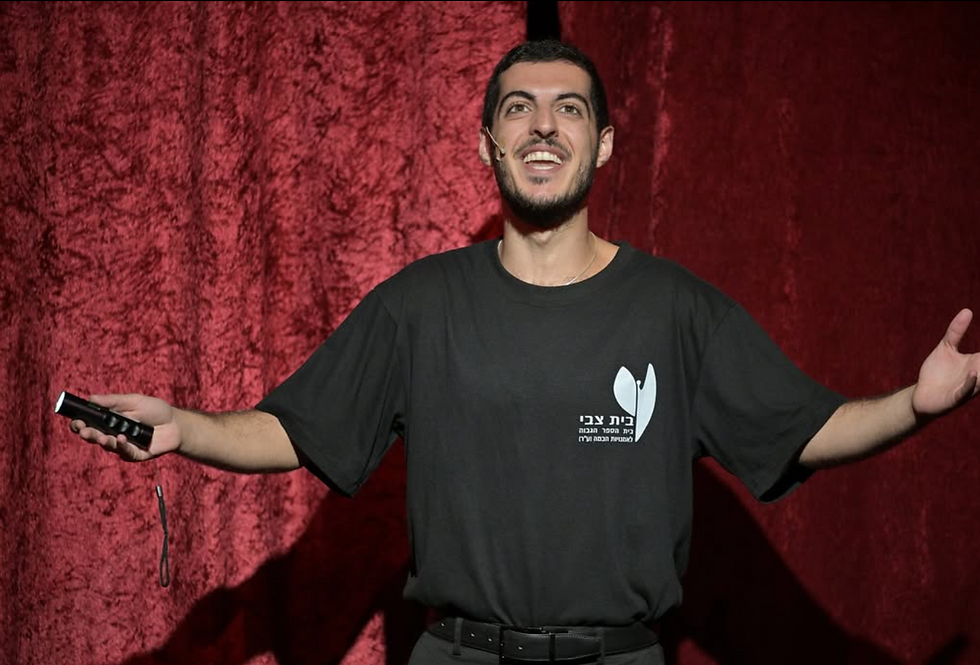
Interview with an actor
Ofir Ravid, Acting Student

Key Insights
1. Difficulty tracking changes and updates in the schedule
2. Information scattered across different platforms
3. Difficult to maintain updated versions of a script
Opportunities
1. Centralize all information in one place
2. Instant and clear updates
3. Easy access to script with updates
4. Visual tools for coordination
Key Insight
Actors need a centralized, real-time system to stay organized and keep up with constant changes.
What I learned?
1
Production Tools Are Management-Oriented
Most existing tools are designed for decision-makers and the “big picture,” leaving on-set crew members without a solution tailored to their day to day execution needs.
2
Mobile Versions Lack True Personalization
General project management platforms adapt their desktop systems to mobile, but without role-based filtering- resulting in cluttered interfaces and irrelevant information for individual users.
3
Crew-Focused Apps Are Functionally Limited
Apps that target production teams often offer only basic features, such as scheduling or messaging, without supporting complex, evolving workflows.
4
No Dedicated Tool for Field Execution
There is no solution designed specifically for on-set work that replaces multiple tools while adapting to each role’s responsibilities in real time.
Market research
I reviewed production and project management tools to understand how complex workflows translate into mobile on-set experiences.
Differentiation
Unlike existing tools, field app replaces multiple systems with one personalized on-set experience.
Strategy
Designing a focused, role-based field experience that supports execution rather than management.
User Flow

Log In
Controlled Access
Crew members don’t need to register or configure anything access is pre-defined through the dashboard and tailored to the production.
Mobile verification ensures secure, role-based entry while protecting sensitive production information.


Home Page
Critical Information
The home screen is designed to surface only the most important updates and tasks upfront, so users can immediately understand what requires attention without searching or navigating deeper.
Profile
One Place for Everything
The profile centralizes personal, professional and production-related information, reducing fragmentation and making it easy to manage settings and access integrated projects from one clear space.


Script
Role-Based Interface
This screen adapts to the actor’s role, offering a script-focused experience with smart search,while other crew members access tools relevant to their own workflow.
Navigation Menu
Minimal Navigation for Maximum Content
The menu is inspired by a clipboard- connecting visually to the production world. A semi-transparent, floating menu designed to support content-heavy screens without interrupting reading or task flow.


My Solution
Yalla to the next project
